Essentials Stock Prices
Display stock price data in card or ticker layouts with configurable symbols.
Configuration Guide
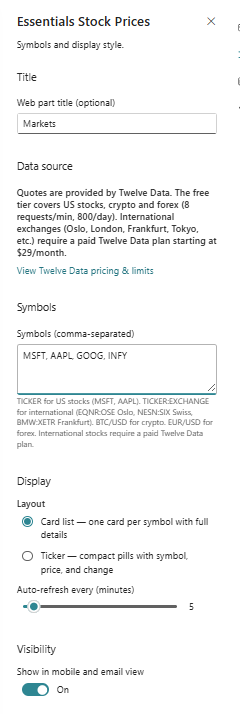
- Add the Stock Prices web part to the page.
- Enter the stock symbols or data sources to track.
- Choose the display format, such as card or ticker.
- Configure refresh behaviour and update intervals.
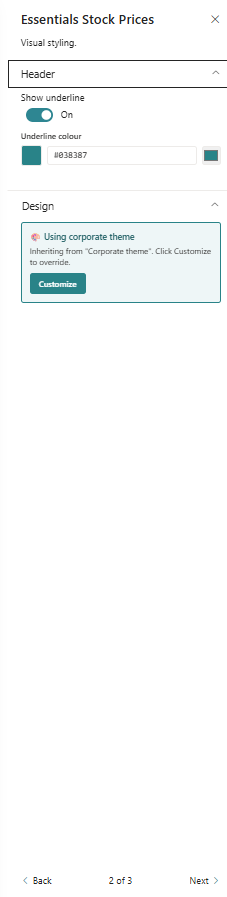
- Adjust styling and layout options for the price display.
Key Features Configuration
| Feature | Description | Configuration |
|---|---|---|
| Symbol tracking | Specify which stocks to display | Enter stock symbols to display |
| Layout | Choose between card and ticker views | Card or ticker presentation |
| Refresh | Control how often data updates | Configure update intervals |
| Styling | Customise the price display appearance | Adjust visual display settings |
Property Pane Options
| Option | Type | Description |
|---|---|---|
| Symbols | Text / Collection | Enter stock symbols to track |
| Layout | Dropdown | Choose card or ticker mode |
| Refresh interval | Slider / Number | Set update frequency |
| Display fields | Multi-select | Show price, change, percent |
Illustration