Essentials Quick Links
Display quick links in grid or list layouts with customizable icons and labels.
Configuration Guide
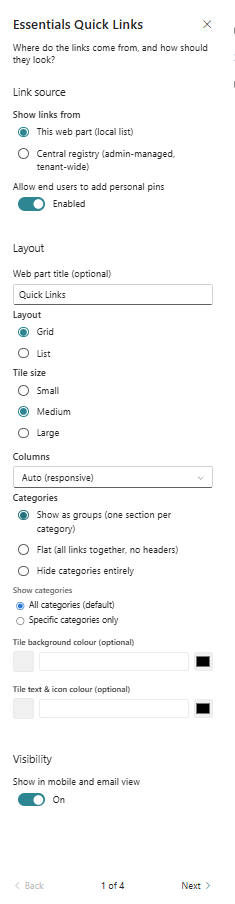
- Add the Quick Links web part to the page.
- Choose a layout style, such as grid or list.
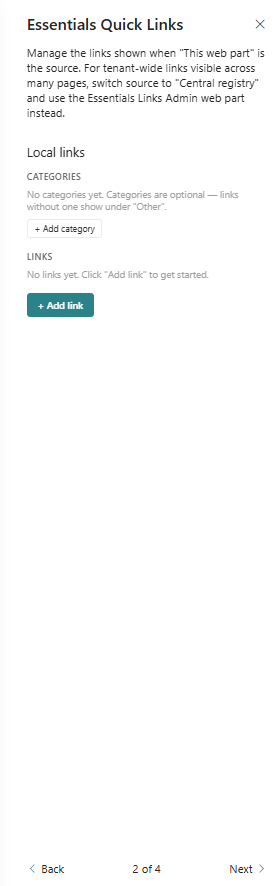
- Add link items with title, URL, and optional icon.
- Configure link descriptions and target behaviour.
- Set display order and layout spacing.
Key Features Configuration
| Feature | Description | Configuration |
|---|---|---|
| Layouts | Switch between grid and list views | Grid and list layouts |
| Link items | Add a title, URL, and icon per link | Add title, URL, and icon |
| Descriptions | Provide optional detail text for each link | Optional text per link |
| Display order | Arrange links in a custom sequence | Sort or reorder links |
Property Pane Options
| Option | Type | Description |
|---|---|---|
| Layout | Dropdown | Select grid or list layout |
| Items | Collection | Configure link items |
| Title | Text | Set item title |
| URL | Text | Set item destination |
Illustration