Essentials Image Map
Create interactive image maps with hotspots and linked regions.
Configuration Guide
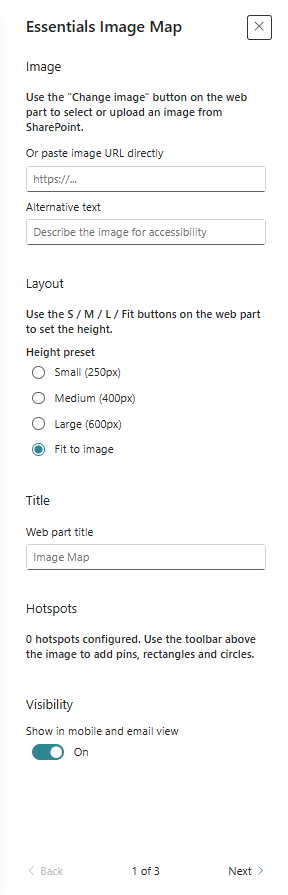
- Add the web part and choose an image background.
- Define hotspots or interactive regions on the image.
- Configure each hotspot label, link, and optional tooltip text.
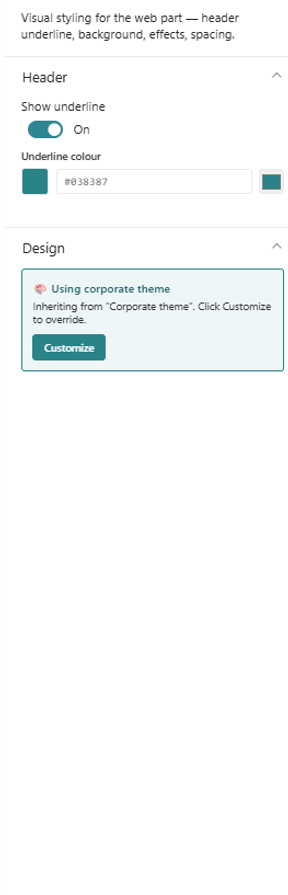
- Adjust styling and visibility settings for the hotspot overlays.
- Test the interactive map in preview mode.
Key Features Configuration
| Feature | Description | Configuration |
|---|---|---|
| Image background | Set the base map image | Select or upload the map image |
| Hotspots | Add interactive clickable areas | Add clickable regions |
| Labels | Display text on each hotspot | Configure hotspot text |
| Links | Define where each hotspot navigates to | Set destination URLs for hotspots |
Property Pane Options
| Option | Type | Description |
|---|---|---|
| Image | Media picker | Select the image to map |
| Hotspots | Collection | Define interactive regions |
| Hotspot label | Text | Set visible hotspot text |
| Hotspot link | URL | Set navigation target |
Illustration