
Essential Hero
Elevate SharePoint's Hero Experience with striking page header, six layouts and rich linked-content auto-fetch
Create stunning, attention-grabbing page headers with advanced layouts, automated content enrichment, customizable styling, and seamless support for pages, videos, and documents.
About This Webpart
Essential Hero helps organizations create immersive, high-impact digital experiences that immediately draw attention to important content. Whether you're promoting company initiatives, sharing announcements, highlighting events, or directing users to key resources, Essential Hero provides the visual impact needed to make your message stand out.
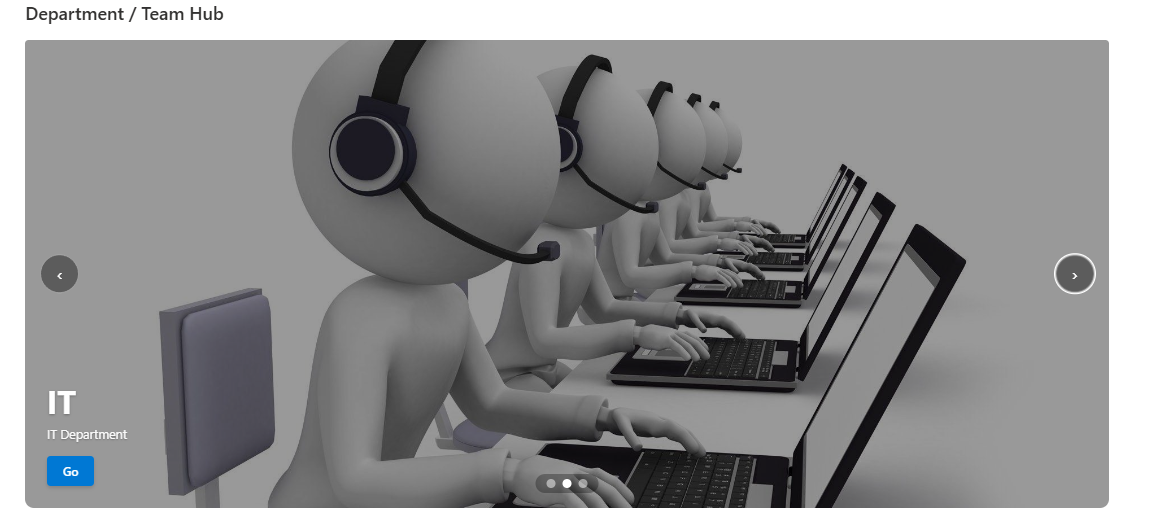
Choose from six professionally designed layouts — Fullscreen, Split, Featured, Grid, Carousel, and Mosaic — to create the perfect presentation for your content.
Simply add links to pages, documents, videos, or other resources and Essential Hero automatically retrieves relevant information including titles, descriptions, and thumbnails, reducing manual effort while keeping content up to date.
Advanced design controls allow you to tailor every experience to your brand with:
- Customizable overlays
- Colors
- Call-to-action buttons
- Spacing
- Border styling
- Responsive behavior
Support for images, videos, and rich content ensures a modern and engaging experience across desktop and mobile devices.
Whether used on intranet homepages, department portals, communication sites, campaign pages, or knowledge hubs, Essential Hero helps organizations present content with clarity, impact, and professionalism.
Key Features
Six Layout Modes
Fullscreen, Split, Featured, Grid, Carousel, and Mosaic — choose the layout that fits your page design.
Auto-fetch Content
Paste a SharePoint page, Stream video, YouTube, or Vimeo URL and the webpart pulls the title, description, and image automatically.
Classic Style Preset
Built-in SharePoint classic style preset for organisations that want a legacy-compatible visual identity.
Mobile Hide
Optionally hide the hero entirely on mobile viewports for a cleaner small-screen experience.
Full-bleed Support
Renders edge-to-edge inside SharePoint full-bleed sections for maximum visual impact.
Rich Property Pane
Deep no-code control over colours, overlay opacity, typography, CTA labels, and more — no developer required.
Screenshots & Media
Configuration Guide
Need help setting up Essential Hero? Visit the full step-by-step configuration guide for detailed instructions.
View Configuration Guide →Ready to deploy Essential Hero?
Get in touch and we will walk you through installation and configuration.